Day 81 Final Post
Today I sat in with Justin because I admit I have nothing really to do because we were just trying to finish what we had not trying to start anything. Today was pretty funny because Justin had turned the zombies into fridges and they would fly the character up into the sky. He also had and infinite apple that gave the character an insane amount of health. So over these couple of months we have had a lot of hiccups but I would say that our game is pretty decent. In comparison to ty he is some sort of wizard. I'm pretty happy with the outcome of our game even though it is broken with flying fridges and infinite apples. So anyways this is my final post signing off. :0

Day 80
Today was not the most productive day because all i did was sit down with stephen and talk about his game. He was able to get to separate set of lives for both of the sprites. I did have a lot of fun playing his game. Howard did help him make the separate lives for the sprites. Apparently he was having a lot of trouble. His game turned out awesome but in the meanwhile our game is still under progress and won't be finished for a while. Besides playing some of stephen's game and watching howie code that is all that happened today. Tomorrow is the final post for this course so we might combine our code or continue to work on the regular stuff.
Day 79
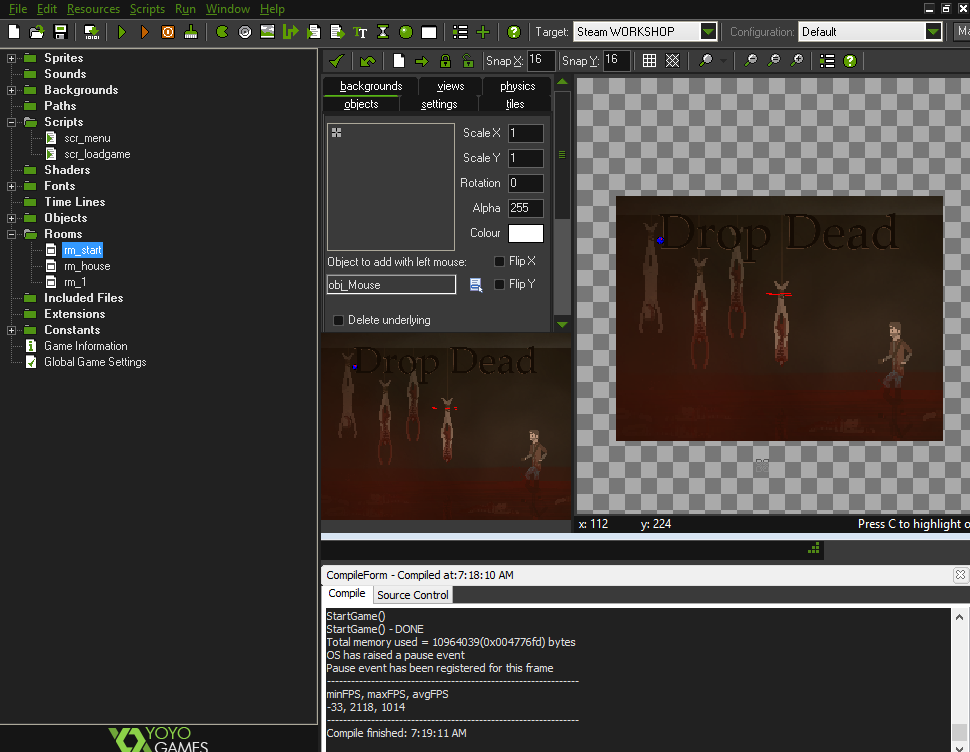
Today I was looking at the code for the main screen and why it was so messed up. I tried changing some of the code. For some reason it overlays drop dead over and over again instead of displaying our new background. It seems to be that only i have this problem and I was pretty confused looking at the code. I did have a peek into Justin's save file and it seems to work fine with the same code for him so I'm pretty confused. It doesn't give any errors for me when starting up the game. It is really weird I don't understand why it is doing this i could ask howie but we are going to just move the code from everyone's games so it doesn't matter really. Tomorrow I don't really have much to do it is our 2nd last day so I'm just going to sit in with stephen and see if i can help.
Day 78
Today I wasn't doing anything special I was just trying to do some simple bug fixes. I did change my game maker file today and transfer over my code for the zooming. When I tried to start the game for some reason it gave me a obj_sandstorm error and I realized this was nick's game breaking code which screwed up our game. I had to look for it and delete all the stuff inside it the object. Then for some reason I still got the same error code which was the best. It was also in another object which i had to find through all of our stuff. I don't know why nick made this game breaking code but it really messed up my game save file. Otherwise the game seems to work fine except the title screen is a bit messed up. Tomorrow I'm going to try to fix some of theses issues but howie might have already fixed them in his update file.
Day 77
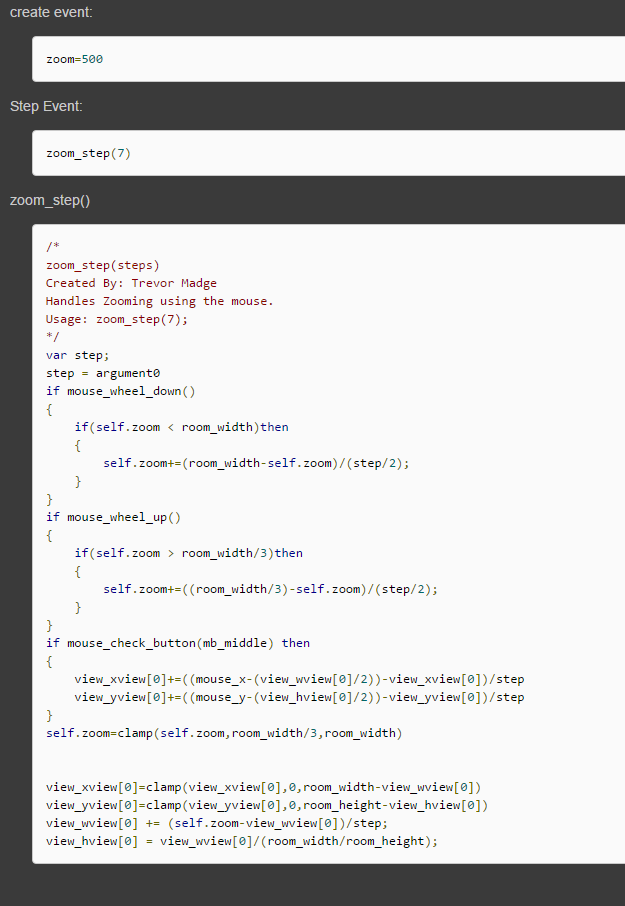
Today I began finishing up on the zooming control and how far it can zoom in and how to keep in locked on regular distance for zooming out. It was super simple on how to lock it in because you just preset set it to the width and height of the room. For the zooming in it was a bit tougher because i had to find the zoom factor and change it a bit and the change the view control so it could zoom in more. When I first tried it didn't seem to change at all so I went back and did some changing to the code. I had to increase the zoom factor to 500 pixels but before it was at 100 so it does make sense because our game room. That is all that i did today and tomorrow I will see what Justin wants to do next and see what he is up to.
Day 76
Today I didn't do much but hang out with stephen and check out his game for our game. He had some interesting mechanics in his mini game like the laser shooting. He was trying to figure out how to get each player a different set of lives instead of using it from one set. We did play his game it runs pretty great but the one problem is that I don't know how we are going to to implement it. We might have to let the character walk over the machine and if presses a a key loads the other game or something like that. So that is a problem that will need fix. Besides checking out stephen's game and trying to help him that is all that happened today. Tomorrow I will continue fixing the zooming distances.

Day 75
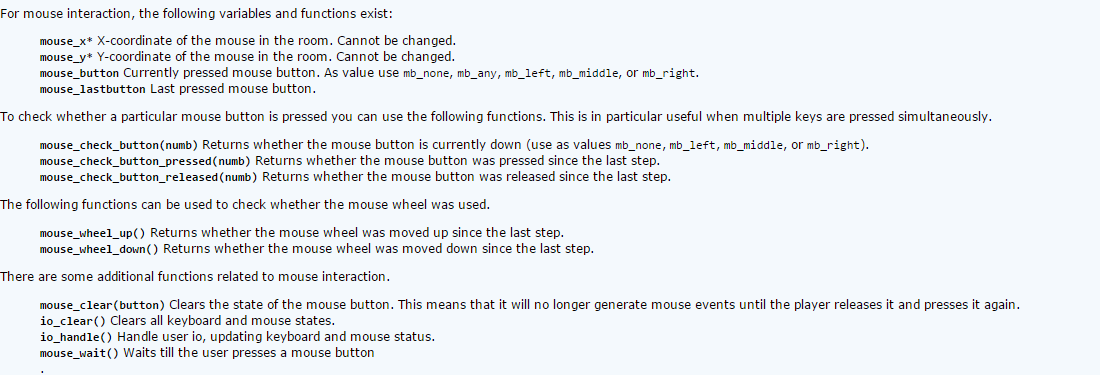
Today I was just doing some general bug fixes for the zooming code. I didn't really want to change out the whole code because this one seemed to work unlike the other ones. I was able to change the buttons for the zooming to the scroll wheel by doing mouse_check_button and mouse_wheel_up and down for sense the movement of the mouse wheel. I did encounter a problem with it though like the other keys that i had preset it didn't want to work. So I had to change it around in order for it to work. I guess i didn't have the right code from the video so I'm going to go check that. Tomorrow I plan on fixing how deep the zoom goes and how far back it can go.
Day 74
Today I continued the code from yesterday. I figured out by it wasn't working because i had the wrong size room preset for it. The preset from the video was 960 by 1050 and our room was 700 by 1600 so that was one of the problems and why it didn't work. Then for some odd reason the preset buttons for the zooming in and out didn't want to work. I had them preset to plus and minus so I'm going to try to switch it so the scroll wheel and hopefully it doesn't break my game in anyway. When trying to zoom in it doesn't seem to want to go all the way in so I'm going to have to change that as well. Next class i plan to change the keys to the scroll wheel so it hopefully can work better also fix the bugs here and there.

Day 73
Today I watched the new tutorial for the zooming it didn't make that much sense because the guy in the video had a an accent but I tried out some of the code. Finally for once the lines didn't have errors in them so i was able to continue with out that many problems. I only got half way through typing the code but then I had to fine how to enable view controls in rooms. Which I didn't know how to do of course so I had to look around for that. Not a lot happened today just some small hiccups with writing the code but can be solved. Tomorrow I will finish the code for this and hopefully it will work and unlike the other code i was trying it doesn't show errors.
Day 72
Today I didn't really work on the code from yesterday I just sat in with justin and watched him mess around with the zoom design and his grass tiles. I did ask him questions about the view controls and he said he didn't know much so again my best option is howie. It seems that justin is finally convinced not to do snow because its pointless in our game because ash would make more sense. I've noticed that our game has a lot of bugs like in my version there is a sandstorm object that crashes my game ever time i try to play it. Next class I will go back to the code that i was working on and test out the new video for the game.


Day 70
Today I restarted the code for the zooming in and out for our game. I watched a tutorial for view controls. I wasn't quite sure if it work but I continued to watch it. While trying to implement the code some of it had errors in the lines possible because the video was a bit older. If I can't get the code to work I will try to get Howie to help me because he knows more about this than me. There is one more video that I am going to watch for the code that i had from yesterday which seems to be from a newer version of game maker. Hopefully the code from this video won't put up the same problems that the others have. So next class its on to the next coding video.
Day 69
I began today with the code I was working yesterday and I tried to change zoom into view control which seemed like it would work but it only gave me errors. So I asked some help from Howie and he messed around with it and tried to change the lines that were giving of errors. It seemed like this piece of code from yesterday wasn't going to work so for the rest of the class i just looked around on websites and youtube for code that might possibly work and i book marked them. Next class I'm going to try the other codes and see if they work for our zooming in our game.
Day 68
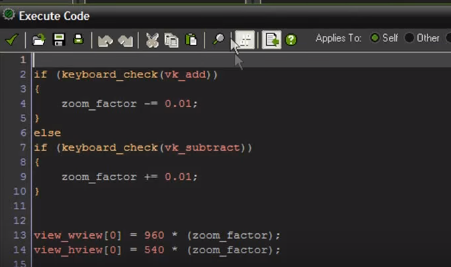
Today I began to create zooming in and zooming out in our game. I'm trying to use the scroll wheel for it because it seems easier to use. It seems that most of the code used for zooming is used with plus or minus. I'm going to have to find what the mouse wheel is in game maker. I did find some code to use for zooming but while messing around with it. It didn't really work maybe because the values might not be right for the screen size. Our screen size is 700 by 1600 so I messed around with the values. With the code it starts out with a zoom factor and that isn't and established code in game maker so that might be the problem. I will continue to work on this for the next day try to fix this but i might have to look up some other code for it.
Day 67
So today I began to work on the clouds again. It was interesting because i used a different static overlay that kind of worked and it looked better but doesn't look right for the game. So im going o ask ty on how he did his because his looks amazing. The main problem i have is that i dont have a cloud overlay so i have to keep on going back and adjusting the brush. Pretty much I am finished with the clouds because we are going to ad ash clouds so we are going to leave that for later. It seems like the best thing to do because we do have more important stuff to do than clouds. We do need a zooming in and out feature in our game so that will be what i work on tomorrow. Justin said he wants to use the scroll wheel instead of the plus and minus buttons which does make sense. So that is what i will be doing tomorrow.
Subscribe to:
Comments (Atom)