
Day 54
So I'm pretty confused on how we are going to change from city to forest because Jake and I are doing separate landscapes. Even though mine is still in the work and Jakes is finished. I guess we are going to have to combine psds and blend them so it seems to be a shift from city to forest. I will have to ask the guys on what we are planning to do about rooms and how were are going to shift from room to city. We cant really go on like this because we have no coordination because we are all making stuff but no one is putting the pieces together. So I learnt that we are going to have to do some drastic communication changes today. So tomorrow I plan on having a little group chat about this.

Day 53
So today I began the landscape for the forest I started with the trees but they weren't looking the best so it was trial and error for me. I will ask if I could use the same mountain range in the back and cut it up in different ways so I can get the equal look when transfering screens. I learn't today that I'm not that great at trees so I'm going to use Jakes old trees as inspiration. Also I found out how Jake puts the ominous over over his city landscape which will be useful. Tomorrow I'm planning on seeing how we are going to make the landscape change from city to forest and room to city.
Day 51
So today instead of making cars I would make trees because in Jakes landscape there were none. I started by looking at Jake's color scheme once again to make sure that the trees pop but still blend in enough. I will ask Jake for his psd for his landscape. Now I have kind have changed my mind I will start making a forest on the outside of the city so it kind of fits the setting and I won't be intruding as much on Jakes work. So pretty much today was me planning out some work for myself. I pretty much learn't that in this group you have to figure out your own work. So tomorrow I will begin the forest land scape.
Day 50
So today Jake was making his city landscape and since I'm still in the process of finding work so i decide to help Jake out and give him opinions on what looks good and what doesn't. We were taking about the color scheme and how its should be more dusty and dirty in the end he came out with something amazing because of the way he put lighting in the image itself. Today I learn't that Photoshop can do light like some of the 3D programs that I know about. Tomorrow I plan on making some newer cars and stuff the litter the landscape that Jake is creating.
Day 49
So today I changed around the color of the background of the title screen instead of grey using black. I also used some blood spots that i just splattered on the background. Once I was half way through Jake and Howie though instead of a death screen we will fade the death into black and put blood on it and fade it back out to the main screen. This is where i got angry because I was working on something for a couple of days that went obsolete in seconds. Which was depressing so I guess I will have to find something new to work on. I learn't today that small actions can make my work obsolete very quickly and that there is a paint option in gamemaker for character or screen creation.
Day 48
So today I finally finish that stupid couple of letters for my Game Over which has been delayed multiple times. It looks pretty good It took like have the class to get it right and now I just have to make the restart Button design. First I began to set up some code like our main screen I simply just used the play button as the restart button but it wouldn't go to the main start up. I learn't that I had messed up one stupid value in the code and it took me the half the class to figure it out so the main thing is that one mess up can destroy the whole thing that your working on.
Day 47 Planet Base Day 5
So today I plan to just get as far as I can in the game so what I'm saying is go is all out. This time Im playing full aggressive and I don't care if the people die. I focused on mine first and on food and brought in a lot of biologists to make a crap load of food which was successful and a lot of medics. 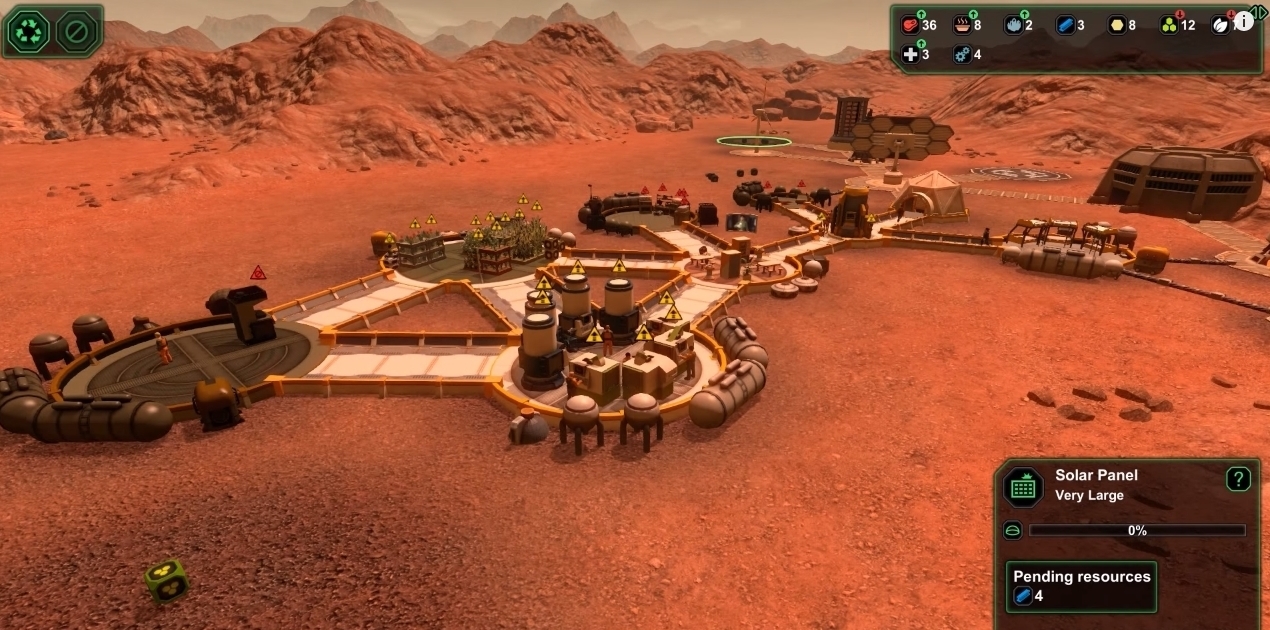
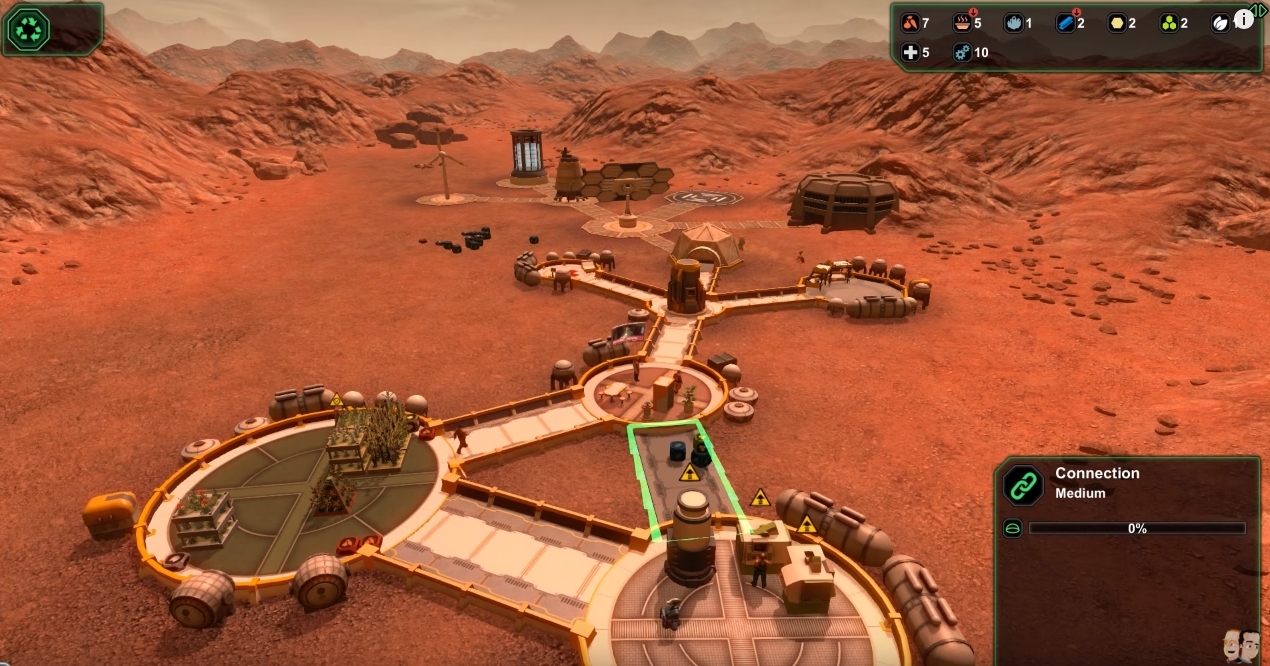
Then this is where it was slowly going downhill because as you can see I only have on power collector and since i had 4x speed i didn't notice the power going down at night since i was taking to Jake. The once again the lazy came back but not as hard because I went all out thinking its over but then like a miracle the started working and i expanded like crazy.
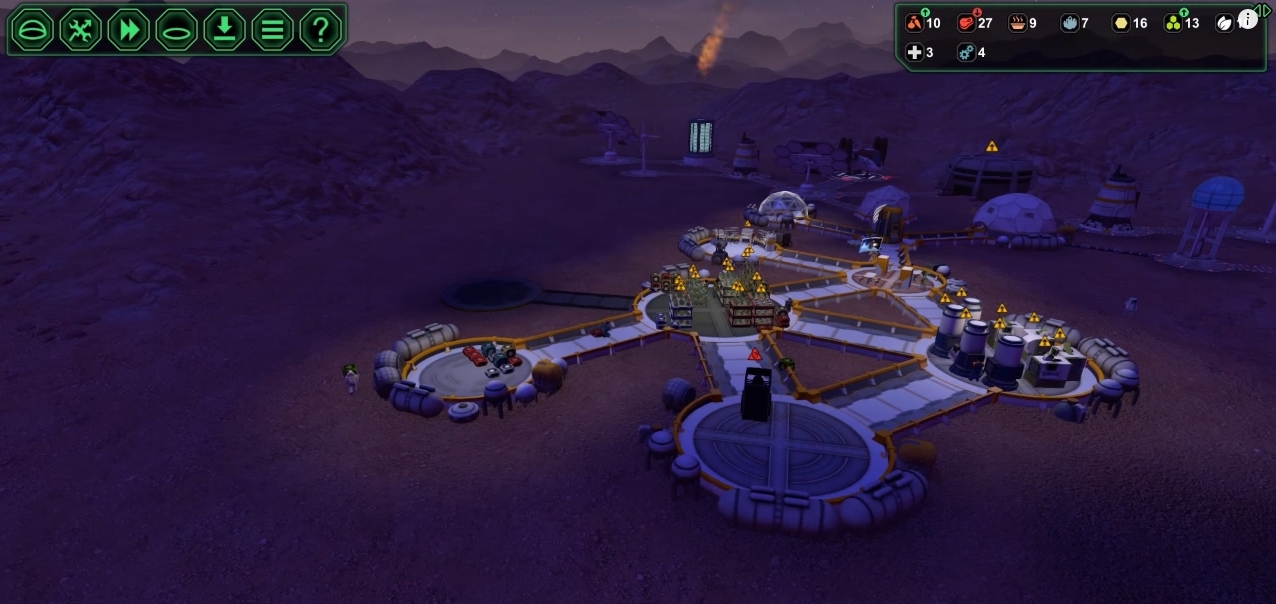
Until a meteor hit my power collector at night and i couldn't build another on fast enough and it was night with now wind, It was a sad night as the robots took over the colony. It was easy for them because the humans died with out oxygen,
Then this is where it was slowly going downhill because as you can see I only have on power collector and since i had 4x speed i didn't notice the power going down at night since i was taking to Jake. The once again the lazy came back but not as hard because I went all out thinking its over but then like a miracle the started working and i expanded like crazy.
Until a meteor hit my power collector at night and i couldn't build another on fast enough and it was night with now wind, It was a sad night as the robots took over the colony. It was easy for them because the humans died with out oxygen,
Day 46 Planet Base Day 4
So today I will be creating a pan before I play which I feel I won't need but i still will use. First I will play super aggressive by quickly creating everything i need like my mines and stuff. Then once i have done that i will look at my food situation and see if i should make a landing pad for more workers engineers and biologists to make more supplies. Also focus on resources because last time i ran out pretty quickly. So i pretty much want to get the point in class today that i wont understan what to do with all the people.
So now that I have started i stuck to basic plan i had made and played super aggressive. The first problem that came up was too many engineers that did nothing i needed more food. SO i called more biologist and then they didn't feel like working. My problem pretty much started from that stupid landing pad because one of the workers gave everybody lazy syndrome and stopped working and walked around and thats it.
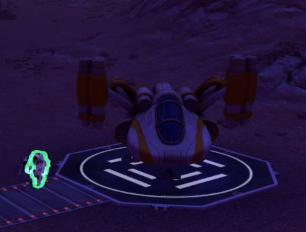
Then it went down hill from there because i forgot to get more workers for the sick bay and they all ended up dead because the doctor got lazy.
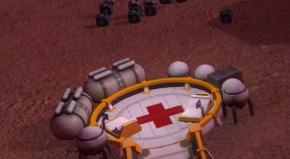
So now that I have started i stuck to basic plan i had made and played super aggressive. The first problem that came up was too many engineers that did nothing i needed more food. SO i called more biologist and then they didn't feel like working. My problem pretty much started from that stupid landing pad because one of the workers gave everybody lazy syndrome and stopped working and walked around and thats it.
Then it went down hill from there because i forgot to get more workers for the sick bay and they all ended up dead because the doctor got lazy.
Day 45 Planet Base Day 3
So today I began to play Planet Base with out the tutorial it was interesting at first because I defied the original tutorial and made a wind turbine of the smaller size and a power collector. I was quick to make the other normal things like the canteen and the dorm. I used the speed up button a lot in order to make the game a faster pace. It is more tough that way but i kept it on 4x speed.

I was quick to make a mine and scrap my ship to get a quick kick start. I tried to make my landing pad and factory as quick as possible to get more workers and engineers to get the resources rolling but i was cutting it close a lot of the time. I feel playing aggressive is kind of key because if you play aggressive you can make it out the distance but yet to aggressive and you fail.
Day 44 Planet Base Review Day 2
So today we get to play the tutorial of the game. It was interesting in the beginning because if forced me to place the items that i was building in certain places. That must have been required so show how the game works if i was stupid. Then again it was interesting about how the game work like placing the oxygen generator first and then placing a water extractor but remember don't forget power which the game reminds you of. It also lets you speed up the game 4x to get the pace going.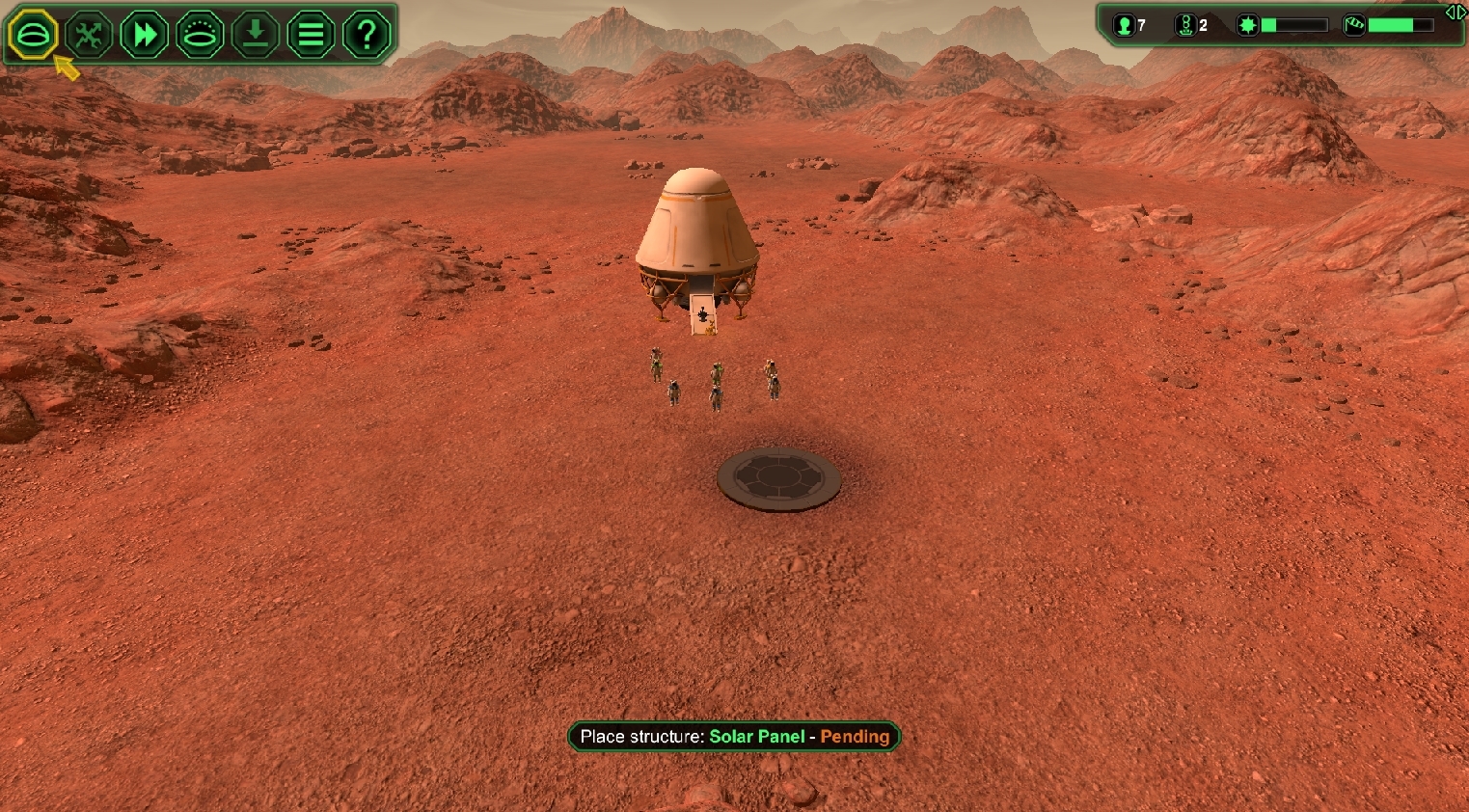
It also tells facts about the certain items that are being built while you are waiting which was good it gave great tips about what to do and didn't let you choose differently. After building the solar panels in makes you build a canteen and a dorm plus other assorted items like a sick bay once all that was done it finally let you get on with the regular game. All in all the tutorial was good to tell you step by step but was very time consuming.

It also tells facts about the certain items that are being built while you are waiting which was good it gave great tips about what to do and didn't let you choose differently. After building the solar panels in makes you build a canteen and a dorm plus other assorted items like a sick bay once all that was done it finally let you get on with the regular game. All in all the tutorial was good to tell you step by step but was very time consuming.
Day 43 Planet Base Review
So today I will be review the game Planet Base. It is and interesting game because it has a likeness to a game called Civilizations 5 which Justin and I have played. Its likeness to the game is uncanny because it just like it because you have to collect resources an power your colonies except they are in space which might up the hardness factor. The mechanics from the videos that I saw are interesting because of the may you have to collect resources and make oxygen. Also how there are designated workers for different things for the building stuff and fixing robots. It also add the element of natural disasters in the game as well with sand storms. All in all this game looks very interesting and looks like a game worth playing due to the mechanic.

Day 41
So today I came in at the last 2 minutes of class because of my AMAZING grad photos that started at the beginning of class. So for my grad photo time slot one of the students was taking forever (not mentioning names) with there photos and got me late for mine. Then when my photos did start the photographer took forever trying to get good photos. Then I came at the last 2 mins of class. I learnt that photographers are perfectionists. Again I will try to finish my Death screen tomorrow as i delay it more and more.
Day 40
Today I spent the day taking about the game about the story with Justin and Jake. We didn't really expand on what we were going to do but we just thought about a story on how this Canadian got into this zombie apocalypse. So really we didn't do much but Justin and I did start looking at our game tiles because in Ty's game they look fantastic. I learn't today that when we all get into a room together and talk about the story of the game we don't really do that much progress so something needs to be said there. Tomorrow I plan on finishing the art for the Death Screen.
Day 39
So Howie told me that he made new letters for the title screen so pretty much I have to change the death screen which says game over to the format of the new letters. They look amazing so used photo shop the destroy them to say Game Over. It was pretty easy to change the first few of the letters like the G to a D because I could flip it and trim it. I didn't finish the whole thing but I did learn some new tools to help change the base letters from Howies drop dead to Game Over using the free transform tool courtesy of Jakes help. Tomorrow I will continue with this tedious work of photoshop.
Day 38
Today I add the mouse option of selecting the options in the game using the mouse enter codes in game maker. Howie told me it was simple but this was down right easy. I also began thinking of some ideas on a death screen I will be using the same title screen style that Howie used to make the main screen. It was tough to copy his art style for the death screen so I might get Jake's help to make it. I learn't today that game maker is way simpler than I thought it was and possibly I could get into the more coding side of this game. Tomorrow I plan to follow through on the idea of the death screen because I consulted Jake and Howie and they said go ahead so thats what I plan to do.
Day 37
So today we all had a conversation about the game and it was voted unanimously that we would change the game to a platformer. It will be interesting because a lot of the movement stuff will change and looking at the way they changed it a lot of the art will be overhauled and changed. So pretty much all class we sat and watched Justin on how to change it to platformer and talked about what direction we will take this game. I learn't that we will have to change everything except the movement barely. It like we are just starting all over again. I pretty much will continue on the death screen design.
Day 36
Today I began to watch some videos about death screens and title screens so I can change some of the code for the title screens. I want to put in a mouse option instead of using the keyboard to navigate the title screen options. I'm doing this just to make the game a bit more better in the sense of options. I watched this video to help learn more about title screens and death screens. It taught me the basic functions on how to execute code using some of the things in game maker like on how to make the mouse enter and using the keyboard to select options which we already have but not the mouse option. I didn't watch the whole thing but I will finish it tomorrow. This also gives me the idea to create a death screen for the game as well which we don't have but I will think about that tomorrow.
Day 35
So today was a half so wasn't that much time to do work but I was messing around with the walk through code that Howie set for the car. I was using it on the trash can that I had for the game. I was trying to make it so that the character could walk around it. I was trying to figure out the code but I don't really get Game Maker yet so didn't understand it that much. I did learn what the code was after words after looking it up though. Most likely next class I will be looking up some Youtube videos so I can use game maker and code my own stuff.
Subscribe to:
Comments (Atom)